Hi ,I encountered an I/O error when running Homogeneous Refinement after selecting particles from 2D classification and re-extracting them at the original pixel size.
My workflow was:
Motion Correction → Patch CTF Estimation → particle filtering → Blob Picker → particle extraction with 2× Fourier downsampling → 2D Classification → select good 2D classes → re-extract the selected particles at the original pixel size → Homogeneous Reconstruction only.
For the final re-extraction, I used:
-
Extraction box size: 384 pixels
-
Fourier crop to box size: left blank (no Fourier cropping)
-
The purpose was to recover the particles at the original pixel size.
The Homogeneous Refinement fails with the following error:
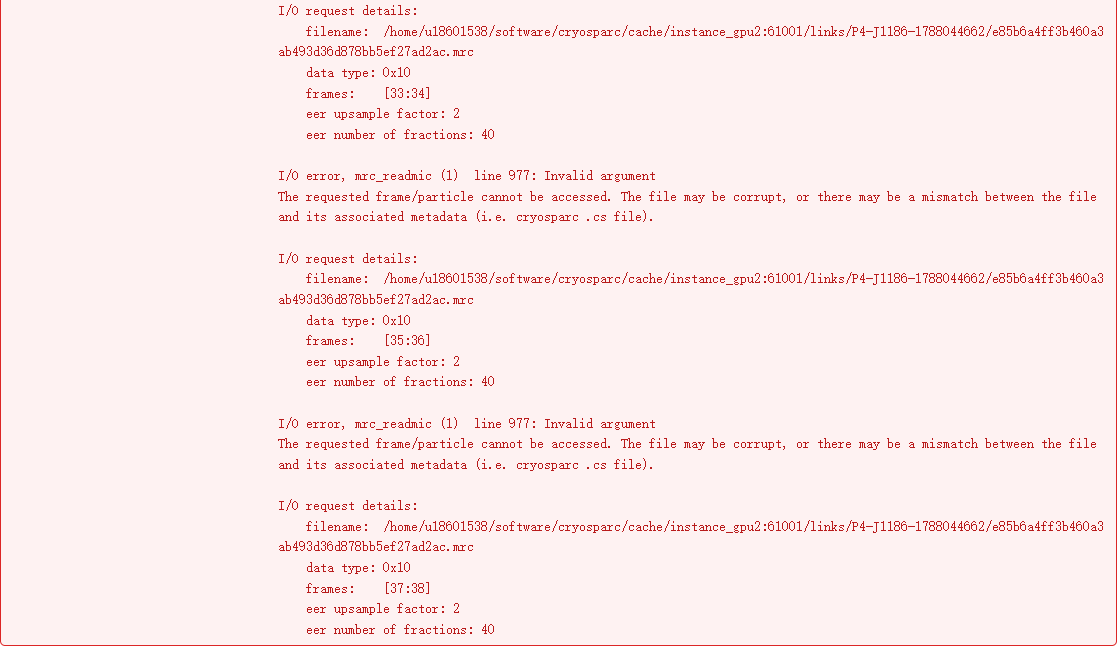
The 2D classification itself completed successfully. The error only appears after selecting the 2D classes, re-extracting the particles without Fourier cropping, and using those particles for 3D refinement.
Could this be caused by a mismatch between the particle .cs metadata and the original micrograph/movie metadata?
In particular, I would like to know whether the problem could be related to:
-
The selected particles retaining incorrect movie/frame metadata after 2D classification;
-
The re-extraction from the original micrographs;
-
EER fraction metadata;
-
Particle cache or MRC files;
-
A mismatch between the input particles and input micrographs/exposures.
Is there a recommended way to diagnose which particle/exposure is causing this problem?
Thank you.