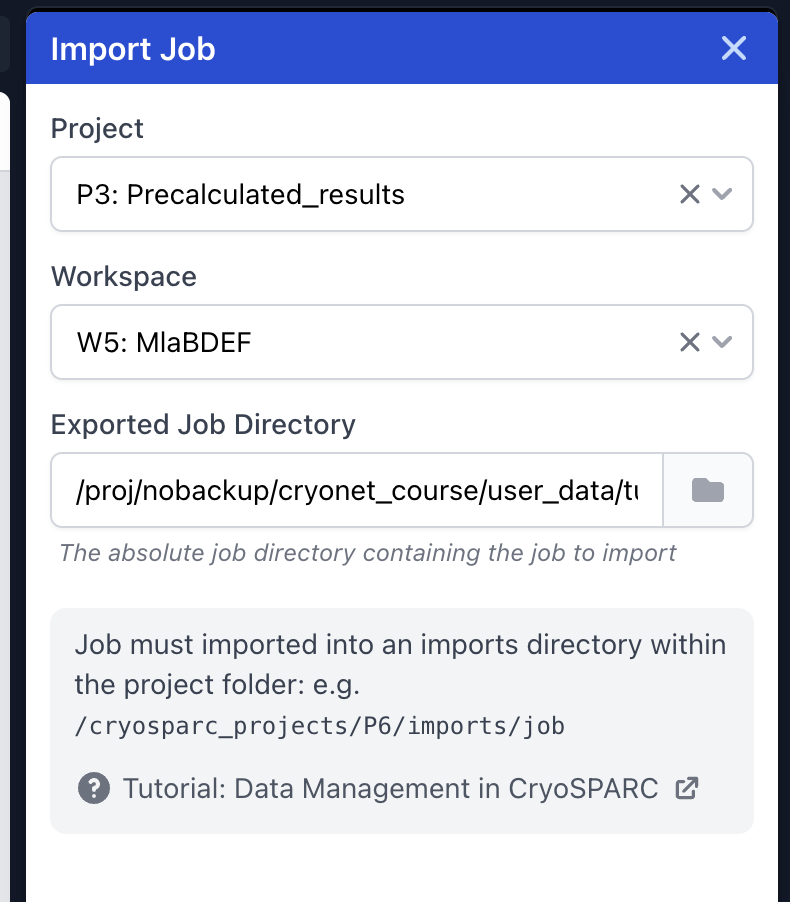
The current approach to importing jobs exported from another instance, where a job needs to be placed in a specific imports/jobs directory within the selected project (which often the user needs to create themselves) can be a little bit of an obstacle for users with limited unix command line experience.
Would it be possible in a future release to allow the user to select the directory corresponding to the job to import using the file browser, and have cryosparc take care of file handling on the backend?
Relatedly, I would love an option to export a job as a compressed archive, with optional removal of specific elements (e.g passthroughs corresponding to mics or particles that I might not want in the output). This would be very helpful when sending data to collaborators, and preparing data for workshops (which currently requires some hack-y workarounds).
I would like to second Oli’s request to simplify importing jobs from another instance. At my institution’s cryo-EM facility, we use a dedicated cryoSPARC instance for on-the-fly motion correction, CTF estimation, etc via cryoSPARC live. After a user completes their microscope session, they must transfer the data to their lab’s instance to finish processing. However, exporting the exposures to a new instance breaks the symbolic links from the export job to the raw data, requiring these links to be manually recreated. As Oli mentioned, this process can be cumbersome, especially for users with limited Unix command line experience. Consequently, almost everyone I know prefers to just redo all the processing steps that they already completed in cryoSPARC live since it takes less mental effort.
While the breakage of symbolic links after data transfer may be unavoidable, is there a way to modify the “Import Result Group” job so that it takes the export job’s .cs and .csg files, along with the paths to the raw data, in order to automatically rebuild the directories of symlinks? I’d imagine that facilities at other institutions also work in a similar way, so a feature like what I’ve described would really help simplify the data transfer process.
Hi @olibclarke, thank you for your suggestions, we’ve noted them both. Easier cross-instance job import/export from the UI has definitely been on our radar! Will post here when we have an update.
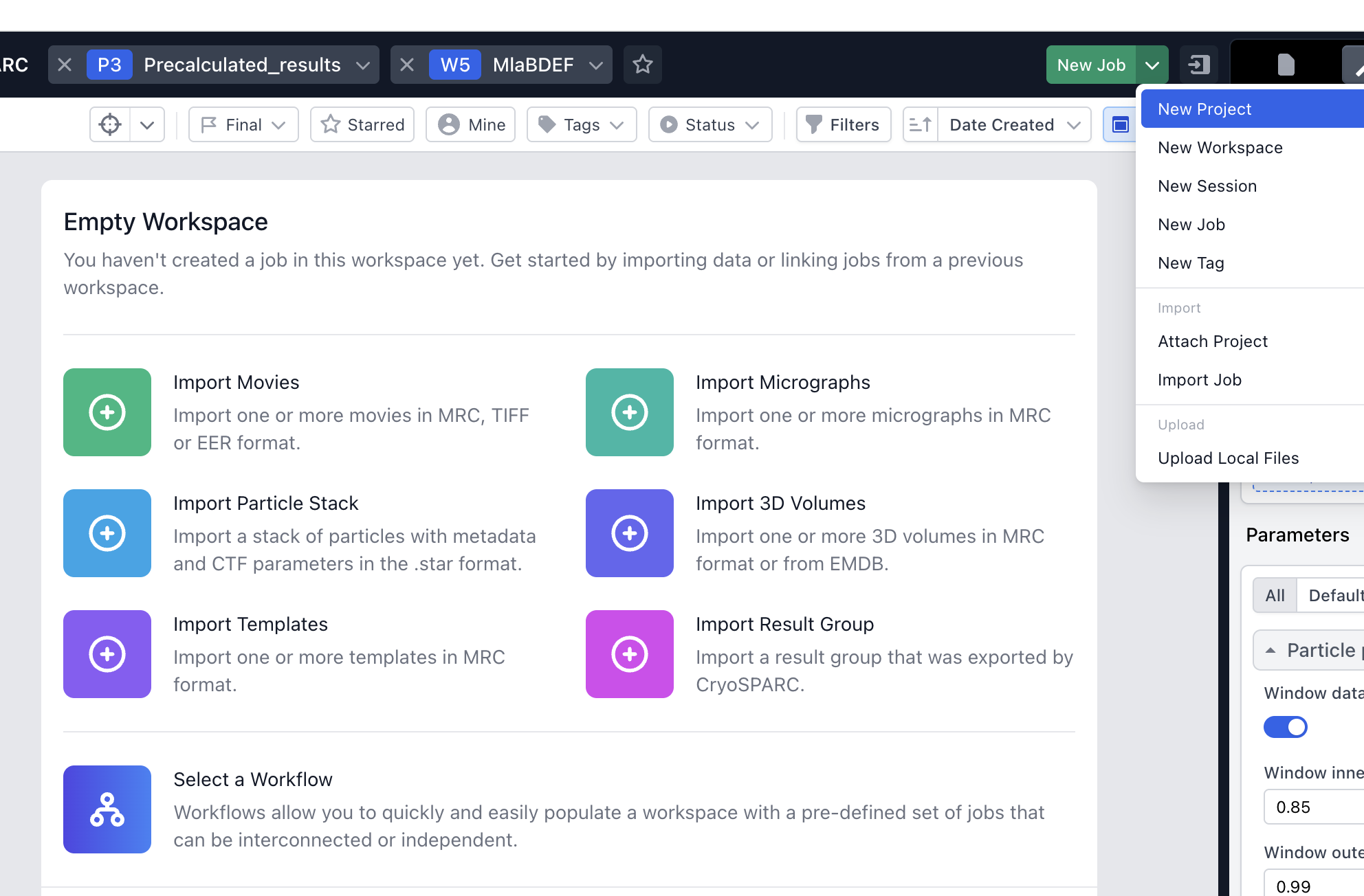
Just coming back to this - in my experience (teaching workshops) it is a bit confusing for new users that in a new workspace, there are several very prominent import options in the main window, but then “Import Job” is rather hidden in an unlabeled dropdown menu. Would it make sense to also have it in the main workspace window, along with the others? This would also make the distinction between importing a previously exported job and importing a result group clearer.
I also find the wording in the import job dialog kind of confusing/non-intuitive - “Job must imported into an imports directory within the project folder” - this could be clearer I think? What it is saying is that the previously exported job must be placed in the imports folder so that it can be imported into the current project, but for some reason the wording always trips me up (may just be a me thing!)
I do wonder whether some of the mechanics of the file upload interface could be used to handle import from an exported archive (tarball) at an arbitrary location, and let CS take care of the file path handling on the backend? Would simplify things a bit.