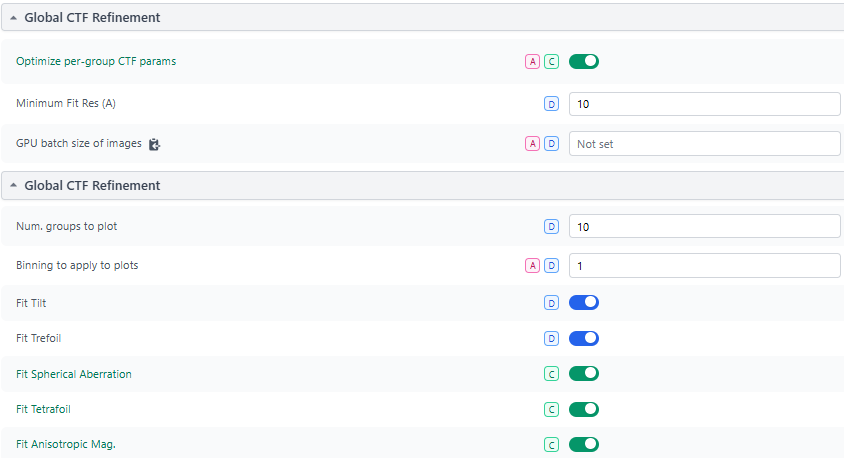
the job crashes near the final iteration and returns the following error:
> Feb 26, 2026, 7:16:59 PM
Traceback (most recent call last):
File “cli/run.py”, line 106, in cli.run.run_job
File “cli/run.py”, line 211, in cli.run.run_job_function
File “compute/jobs/refine/run.py”, line 604, in compute.jobs.refine.run.run_homo_refine
File “compute/jobs/refine/run.py”, line 605, in compute.jobs.refine.run.run_homo_refine
File “compute/jobs/ctf_refinement/run.py”, line 436, in compute.jobs.ctf_refinement.run.full_ctf_refine
File “/home/spuser/Downloads/cryosparc/cryosparc_worker/.pixi/envs/worker/lib/python3.12/site-packages/numpy/linalg/linalg.py”, line 409, in solve
r = gufunc(a, b, signature=signature, extobj=extobj)
^^^^^^^^^^^^^^^^^^^^^^^^^^^^^^^^^^^^^^^^^^^^^^^^
File “/home/spuser/Downloads/cryosparc/cryosparc_worker/.pixi/envs/worker/lib/python3.12/site-packages/numpy/linalg/linalg.py”, line 112, in _raise_linalgerror_singular
raise LinAlgError(“Singular matrix”)
numpy.linalg.LinAlgError: Singular matrix
Thank you for your response. These settings were working properly before the upgrade, and the errors only started occurring after updating. I’m not sure what might be causing this issue.
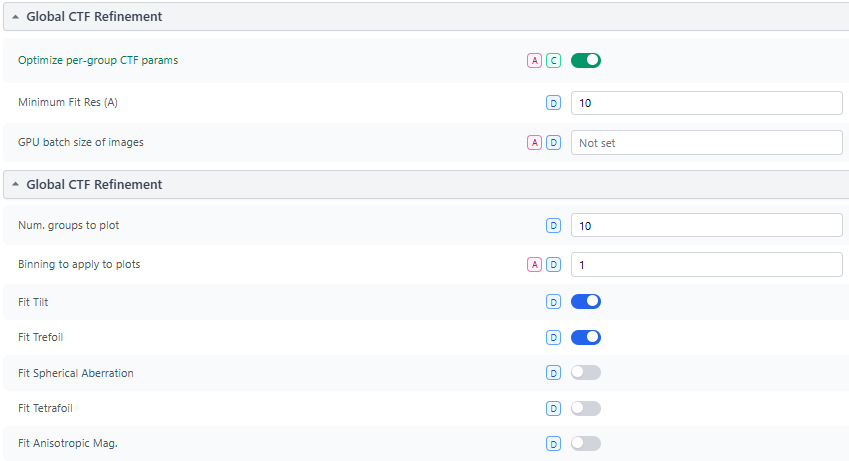
Additionally, I tried turning on anisotropic magnification refinement alone, and the job completed successfully. However, the resolution of the output map was noticeably worse.
Thanks @Songdf. We received an email with the job logs. Please can you also send the job reports, which can be downloaded as zip files that include the job log, event log, job document and other information.
After attempting to download the job reports, the CryoSPARC web interface becomes inaccessible. I have to restart the instance to recover it, but repeating the same operation consistently causes it to crash again.
Hi @wtempel , I tried in Microsoft Edge v145.0.3800.97 and chrome (unknown version) on Windows 11 Ver. 24H2 (OS Build 26100.6584) to download the job reports, and both caused cryoSPARC web interface to crash.
@Songdf We would like to understand how the attempt to download a job report leads to a crash of the web interface. CryoSPARC instance logs may include some hints. Please can you run the command cryosparcm snaplogs and send us the resulting tgz file to the same email address where you also sent the job logs. Please also include in the email a link to this forum topic.
In the mean time, the information can be obtained on the command line on the CryoSPARC master server with these commands:
# create and move to a temporary dir
cd $(mktemp -d)
pwd # note path for file retrieval and, later, removal
project_uid="P99" # replace with actual ID
job_uid="J199" # replace ID of NU refine job
( # begin command block
cryosparcm cli "api.jobs.find_one('$project_uid', '$job_uid')"
cryosparcm job log $project_uid $job_uid
cryosparcm job events $project_uid $job_uid
) > ${project_uid}_${job_uid}_info.txt
gzip ${project_uid}_${job_uid}_info.txt
Please retrieve the *_info.txt.gz file from the temporary directory and email it to us, along with a reference to this forum topic.