Dear community!
I recently posted an topic about recentering 2D classes; the method I tried seemed good enough then, but it’s not quite good enough, we still want to find a way to manually recenter the classes.
I recenter each class by running the following python script
import numpy as np
import sys

def load_cs(cs_path):
    print(f"[INFO] Loading CS file: {cs_path}")
    arr = np.load(cs_path)
    print(f"[INFO] Loaded array with {arr.shape[0]} particles and dtype fields:")
    print(arr.dtype)
    return arr

def save_cs(out_path, arr):
    print(f"[INFO] Saving modified CS file to: {out_path}")
    np.save(out_path, arr)
    print("[INFO] Save successful.")

def shift_one_class(particles, target_class, add_shift):

    if "alignments2D/class" not in particles.dtype.fields:
        raise ValueError("[ERROR] No 'alignments2D/class' field — this is not 2D classification output.")

    if "alignments2D/shift" not in particles.dtype.fields:
        raise ValueError("[ERROR] No 'alignments2D/shift' field found.")

    updated = particles.copy()
    count_modified = 0

    for i in range(len(particles)):
        cls = particles["alignments2D/class"][i]

        if cls == target_class:
            old_shift = particles["alignments2D/shift"][i]
            new_shift = old_shift + add_shift
            updated["alignments2D/shift"][i] = new_shift
            count_modified += 1

        if i % 50000 == 0:
            print(f"[LOG] Processed {i} particles...")

    print(f"[INFO] Done shifting class {target_class}.")
    print(f"[INFO] Modified {count_modified} particles.")
    return updated

def main():
    if len(sys.argv) < 6:
        print("Usage:")
        print("  python shift_one_class.py input.cs output.cs class_id dy dx")
        print("Example:")
        print("  python shift_one_class.py particles.cs out.cs 0 -50 0")
        return

    in_cs = sys.argv[1]
    out_cs = sys.argv[2]
    target_class = int(sys.argv[3])
    dy = float(sys.argv[4])
    dx = float(sys.argv[5])
    add_shift = np.array([dy, dx], dtype=np.float32)

    print(f"[INFO] Target class: {target_class}, shift = (dy={dy}, dx={dx})")

    particles = load_cs(in_cs)
    updated = shift_one_class(particles, target_class, add_shift)
    save_cs(out_cs, updated)

if __name__ == "__main__":
    main()
And created another csg file to import back to cryosparc
 created: 2025-11-26 08:58:37.067915
group:
  description: All particles that were processed, including alignments across all
    classes.
  name: particles
  title: All particles
  type: particle
results:
  alignments2D:
    metafile: '>shifted-particles.cs'
    num_items: 35395
    type: particle.alignments2D
  blob:
    metafile: '>shifted-particles.cs'
    num_items: 35395
    type: particle.blob
  ctf:
    metafile: '>shifted-particles.cs'
    num_items: 35395
    type: particle.ctf
  location:
    metafile: '>J226_passthrough_particles.cs'
    num_items: 35395
    type: particle.location
  ml_properties:
    metafile: '>J226_passthrough_particles.cs'
    num_items: 35395
    type: particle.ml_properties
  pick_stats:
    metafile: '>J226_passthrough_particles.cs'
    num_items: 35395
    type: particle.pick_stats
version: v4.7.1
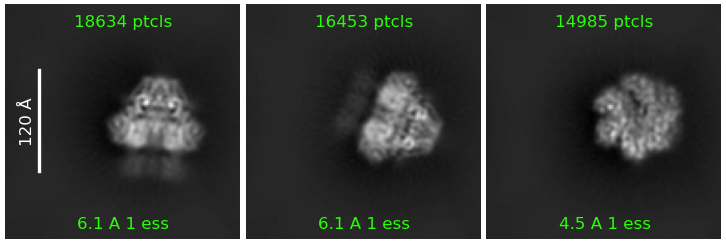
However, when I ran a 2D classification to see the changes, every class still landed dead-center, even though the shift I applied should have moved it outside the box.
How do I manually recenter the 2D classes?
Any suggestions would be great!