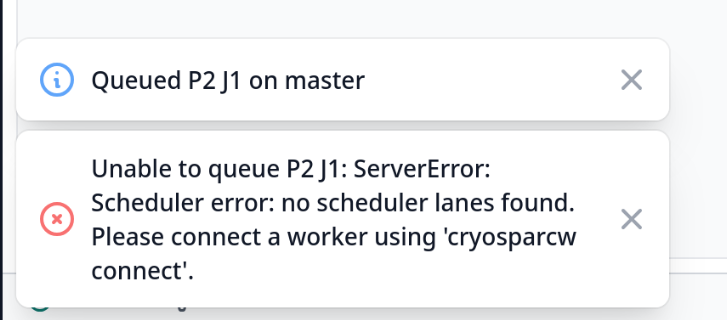
I was wondering if anyone could assist. I am working on a standalone station where CryoSparc was installed. When I queued up import movies, I received the following error:
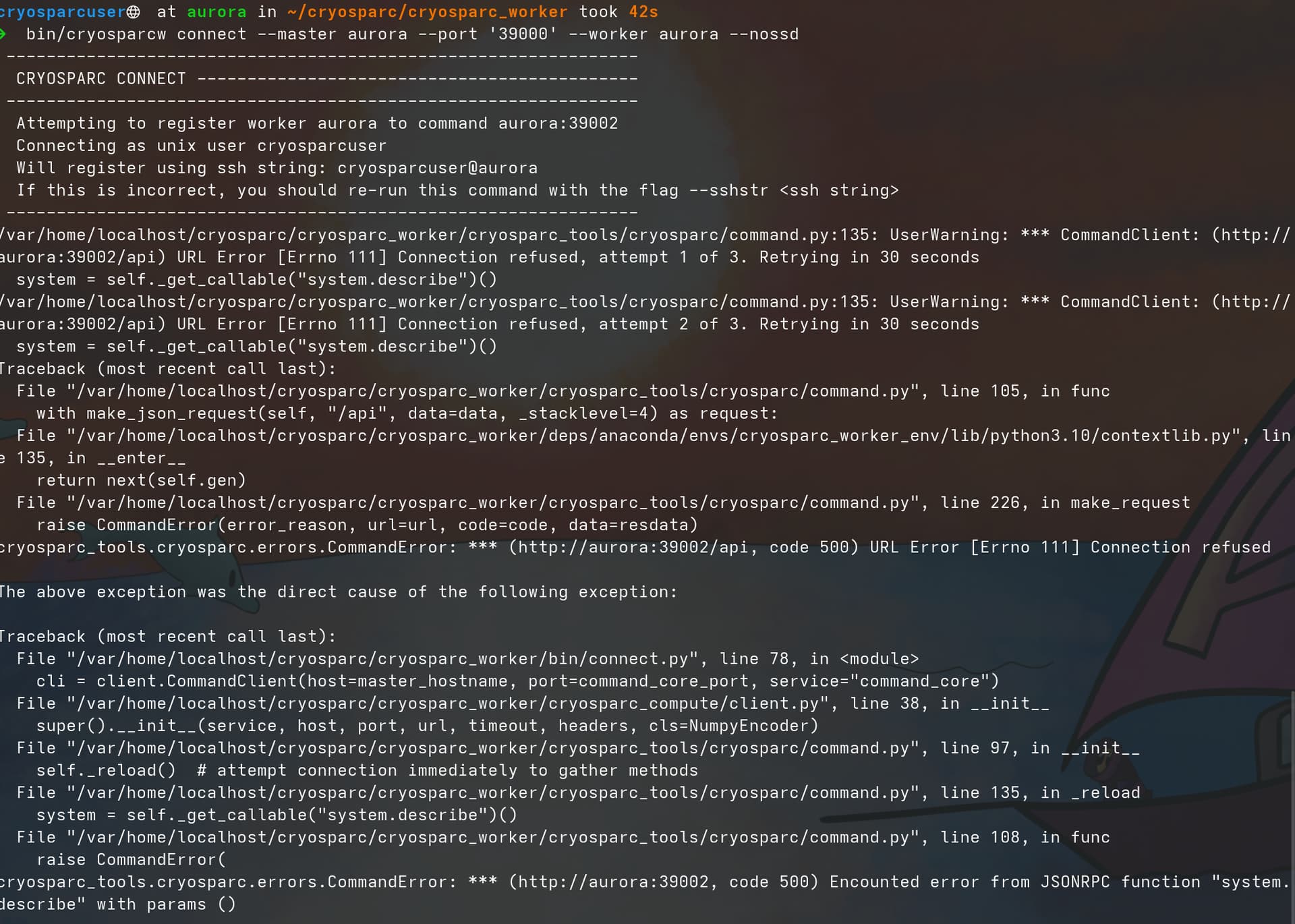
I attempted multiple times to connect the worker to the master. I also have verified that the ports 39000-39010 are open as well as insured CryoSparc was running. Additionally I have verified the host name using hostname -f and have looked at past discussions on this forum to follow steps taken in the past. Nothing to this point has worked. The error I keep receiving in terminal is below.
I would appreciate any assistance or suggestions one can provide.
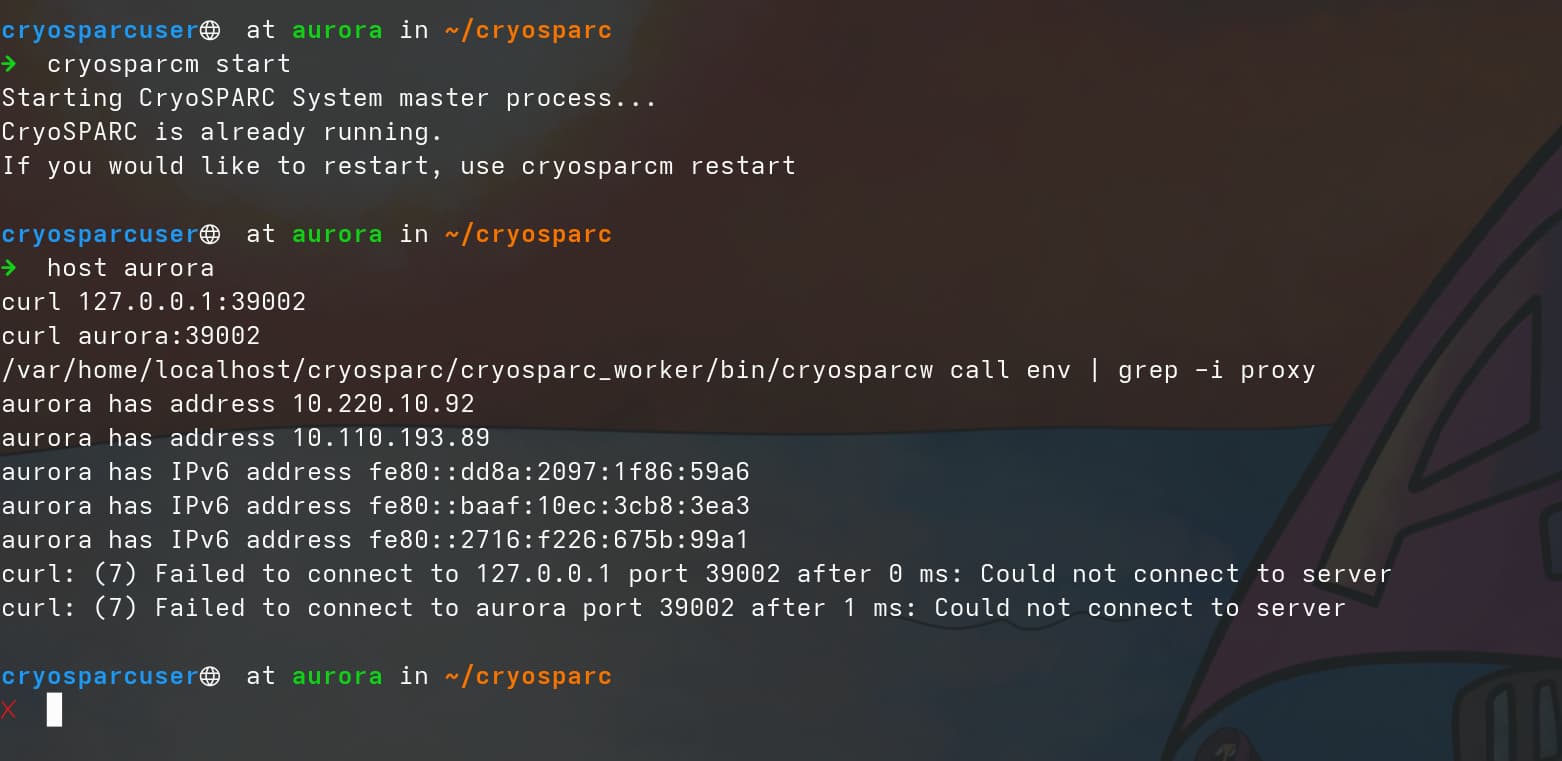
@Heather1 Thanks for trying these commands. Under some circumstances, the message CryoSPARC is already running. may be shown even when CryoSPARC processes have been disrupted. To confirm that CryoSPARC processes are indeed running, please can you run some additional commands before retrying the the curl commands
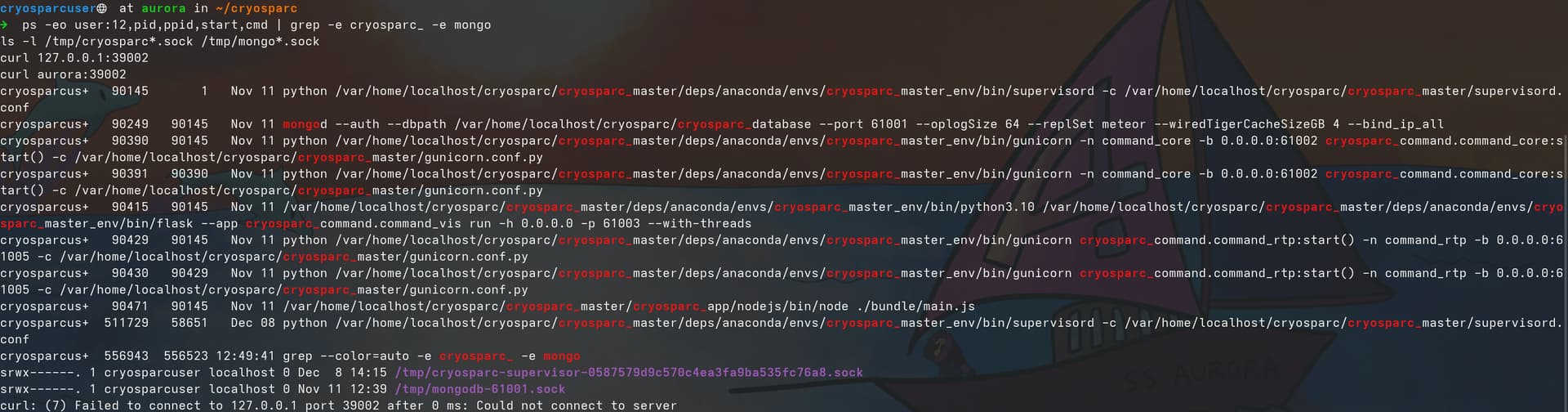
@Heather1 These outputs indicate processes and files dated Nov 11 or Dec 8, and suggest that the /tmp/cryosparc-supervisor-*.sock file that should have also been created on Nov 11 may have been (incorrectly) deleted, leading to an inconsistent state of CryoSPARC processes.
You may want to
ensure that /tmp/cryosparc-supervisor-*.sock file is not subject to “improper” deletion or interference. For example, the file may have been removed by improperly configured systemd tmpfiles automation.
@wtempel when trying to ensure that the /tmp/cryosparc-supervisor-*.sock file is not subject to “improper” deletion or interference, I received a permission denied error. Please see attached. Any thoughts or suggestions to get around this is greatly appreciated.
Permission denied is expected when one tries to “run” (execute) the cryosparc-supervisor-*.sock file. One should not try to run/execute the cryosparc-supervisor-*.sock file.
For this purpose, the sys admin should confirm that any automated management of temporary files that may occur on the computer, such as, but not limited to
cron jobs
systemd-tmpfiles
are not configured in a way that they would automatically delete the /tmp/cryosparc-supervisor-*.sock file due to perceived “inactivity”.
Thank you for your prompt responses and all of your help. At this stage I am the sys admin, due to a transition. This is my first exposure to this role and I have greatly appreciated your help.
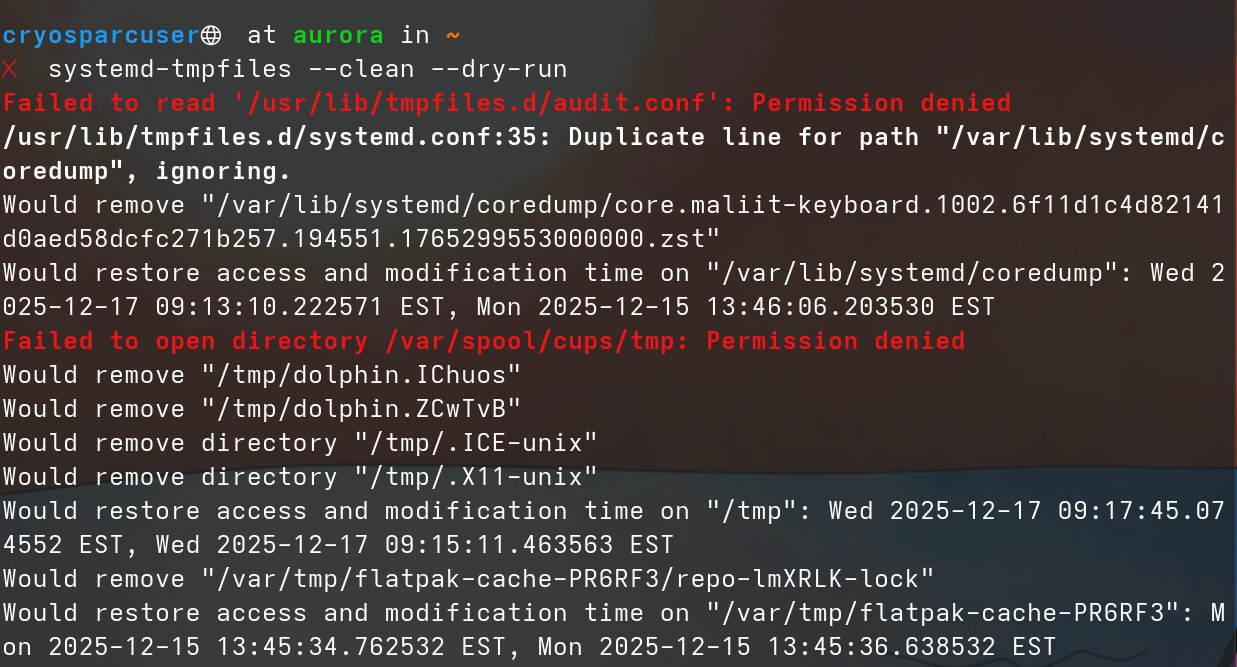
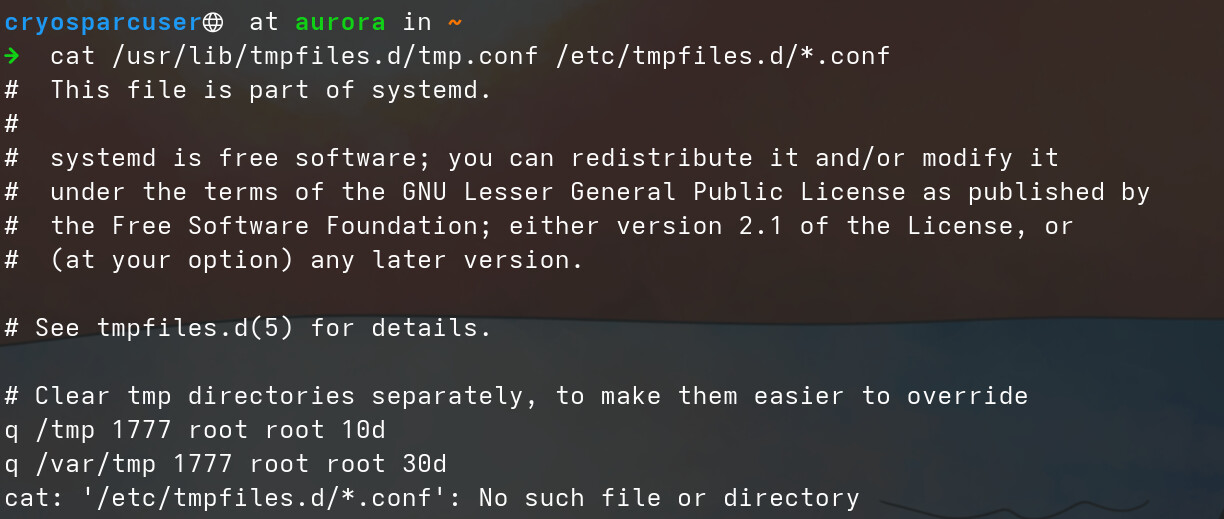
I currently performed systemd-tmpfiles --clean --dry-run to see files would be deleted and did not see the /tmp/cryosparc-supervisor-*.sock file. Following this, I did cat /usr/lib/tmpfiles.d/tmp.conf /etc/tmpfiles.d/*.conf to inspect the configuration files and found taht the entry cleans up files in /tmp older than 10 days. Could this be my issue?
Possibly. In CryoSPARC v4.7.1, one may specify alternative local paths for the CryoSPARC-related cryosparc-supervisord-*.sock and mongod-*.sock files.
Identify a directory that is local (not on an nfs share) and not subject to automated clean-up. In my case, the directory /var/local fulfilled these requirements.
In the directory identified in the previous step, create a directory cryosparc/. Based on the example above:
cd /var/local/
# use sudo if needed
sudo mkdir cryosparc_sock
sudo chmod 1777 cryosparc_sock
Stop CryoSPARC
Append to cryosparc_master/config.sh (based on example path above):
Start CryoSPARC and see whether cryosparcw connect [..] now works.
In case you need help with a CryoSPARC configuration problem in the future, please mention that the sock files have been relocated to a custom location and therefore are not present at the presumed /tmp/ paths.