Strange speed issues

Dear CryoSPARC Team,

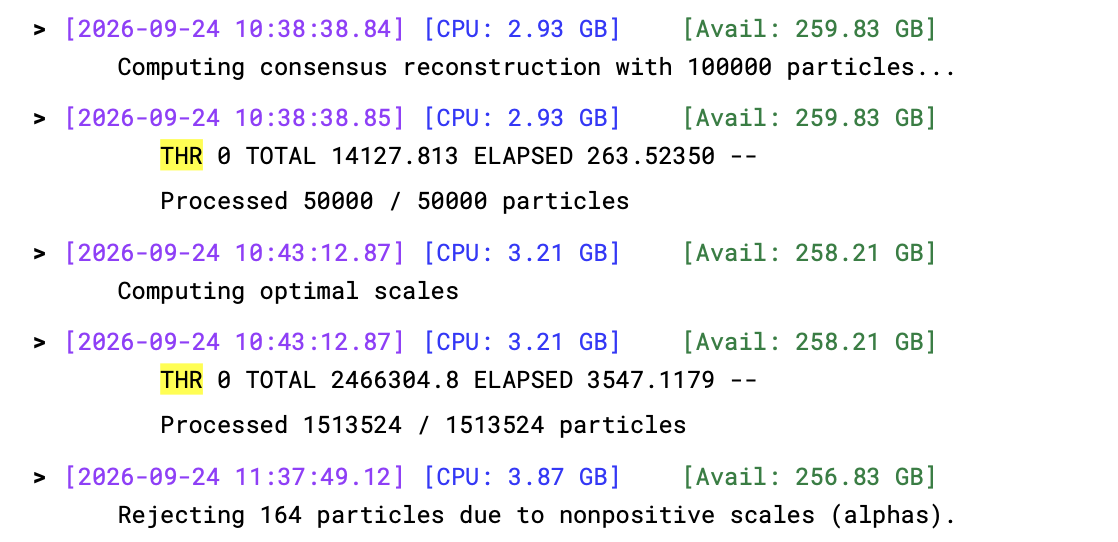
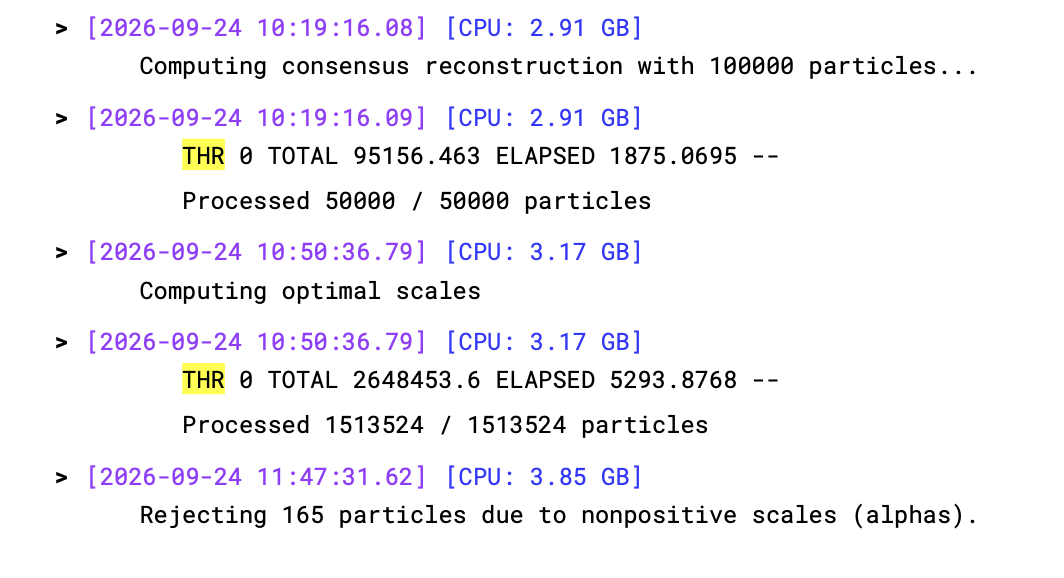
Recently we have been facing a strange issue with 3D Classification speed.

Master and Worker Version: v5.0.7+260904

When we run 3D classification

  1. Node1 consists of 8X 1080Ti cards - Driver Version: 575.57.08

  1. Node 2 consists of 4X L40S cards - Driver Version: 580.173.02

Both had same job and same file system ( including scratch ) and everything is identical. Newer GPU cards takes about 6X - 7X more time than older cards for “Computing consensus reconstruction with 100000 particles…” Whole job is about 6-7X slow.

This step is limited by GPU or I/O or CPU any help is resolving this would be great as many users are affected by this. If you need any father clarification please let me know. Thanks

Thanks @Rajan for your question. There seem to be a few potential nuisance variables involved here that could affect the results. I am listing them here in rough and preliminary order of significance; the list might be incomplete. It would be good to clarify and, potentially, eliminate them in order to isolate the relevant variable.

  1. Is the 1080Ti node part of a “node” lane, the L40S node part of a cluster lane? Please can you post the output of the command
    cryosparcm resources

  2. What are the filesystem types for cache and project directories? Do the network paths and bandwidths (adapters and intermediate switches) differ between the two nodes?

  3. What are the outputs of these commands on each node in the comparison:

    uname -a
    free -h 
    cat /proc/cpuinfo | grep -B 4 "^model name" | tail -n 5
    cat /sys/kernel/mm/transparent_hugepage/enabled
    grep IO_URING /boot/config-$(uname -r)
    
  4. Have you compared a pair of cloned jobs

    • with identical, custom random seed parameters
    • with cache disabled
    • immediately preceded by the command
      sudo sh -c "sync && echo 3 > /proc/sys/vm/drop_caches"
      

    ?

  5. Have any virtualization features been activated on the L40S cards?

  6. The nvidia driver versions differ.

Thanks for the quick answer @wtempel Appreciate it.

  1. Yes 1080 Ti is in Node lane and L40S is cluster lane ( SLURM)

  2. we use central SSD backed gpfs system for caching ( ~50 TB is size )

  3. 1080 Ti Node

cat /proc/cpuinfo | grep -B 4 “^model name” | tail -n 5
processor : 19
vendor_id : GenuineIntel
cpu family : 6
model : 79
model name : Intel(R) Xeon(R) CPU E5-2630 v4 @ 2.20GHz

[always] madvise never

CONFIG_IO_URING=y

Cluster Node :

cat /proc/cpuinfo | grep -B 4 “^model name” | tail -n 5
processor : 255
vendor_id : AuthenticAMD
cpu family : 25
model : 17
model name : AMD EPYC 9534 64-Core Processor

cat /sys/kernel/mm/transparent_hugepage/enabled
[always] madvise never

grep IO_URING /boot/config-$(uname -r)
CONFIG_IO_URING=y

  1. I need to ask our cluster admin. I will get back on this

  2. No it’s not active on L40S cards.

  3. Agreed. is there known compatibility issues with 580.173.02 version ?

This might be relevant if SLURM is configured with cgroup constraints on RAM and CPU resources, whereas a non-SLURM job would not be constrained in this way.

Have you tested and confirmed that this non-local cache actually improves particle read performance (versus reading particles directly from project directories)?

The [always] setting may lead to unpredictable performance problems. The effect of this setting may differ between nodes and may depend on external (other CryoSPARC or non-CryoSPARC) concurrent workloads. One may bypass this unpredictability with the [madvise] or [never] settings.
Not off the top of my head for v580. But in light of a post like RTX PRO 4000 Blackwell Xid 8 / CUDA_ERROR_LAUNCH_TIMEOUT in 2D Classification and Ab-initio - #3 by OleUns, the driver version should be a variable to consider.