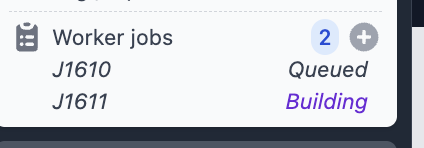
One of my users started a cryosparc live session with 3 worker jobs and they went into the queue. Then the user deleted one job (J1610) in the workspace while it was queued. Later when they tried to pause the Live session there’s an error that we can’t pause it because we can’t find J1610 (because it was deleted).
Is there a way I can override this error and pause the session? I killed the other jobs manually in the workspace to free up resources, but I’d like to be able to pause this session and mark it as completed.
Similar situation happens if someone deletes a Live 2D classification job and then tries to queue another one – the new one can’t be queued because it is trying to queue the wrong job number. It has happened a few times with new users. Is there any (ideally non-cryosparcm, but I would take that too, our sysadmin just has to run it) way to get around this? We have usually just ended up deleting the whole session and starting over if they are determined to get a Live 2D running.
Yes, I agree with @tlevitz it would be helpful to make adjustments like this without requiring admin access. We try to educate the users, but I expect we will continue to run into such issues. thanks!