Converting particle stacks TO .mrcs

Hi community,

I’m trying to use cryopros to resolve some anisotropy in a structure. However, cryopros requires files generated in Relion for many steps. For most of these files, I can use pyem to convert my cryoSPARC outputs to a Relion-readable format. However, I’m having trouble figuring out how to convert a particle stack from a .cs format to .mrcs. Does anyone have any advice on how best to do this?

Thanks all!
Kate

The particle stacks are .mrc. The .cs file is the equivalent to a .star. You can symlink the .mrc files to .mrcs so RELION can work with them, then adjust the filenames in the .star appropriately.

2 Likes

Hi @kmradford
You can follow the following steps.
convert the CS ctf parameters to .star from the NU job by
cs2star /path to/J** -p (** is job number)… This will create particles.star and particles.mrcs
*this is your CS job directory. (this will convert the CTF associated with the final NU refine particles to .star file) you can install cs2star by this link… GitHub - brisvag/cs2star. you need to have pyem installed beforehand. I find this easier.

Then convert the particles.star to particles.mrcs by
relion_stack_create --i particles.star --o particles.mrcs

crypros did not help me. although it generated new poses in first iteration, there was no improvement in the 2nd iteration. Do perform 2D after 1st and 2nd iteration and check if you see missing poses generated, then only go for final reconstruct.

hope this helps…

2 Likes

Thank you both so much! I really appreciate your advice.

@Das, thank you for your specific knowledge of cryopros - I’ll keep that in mind as we proceed.

1 Like

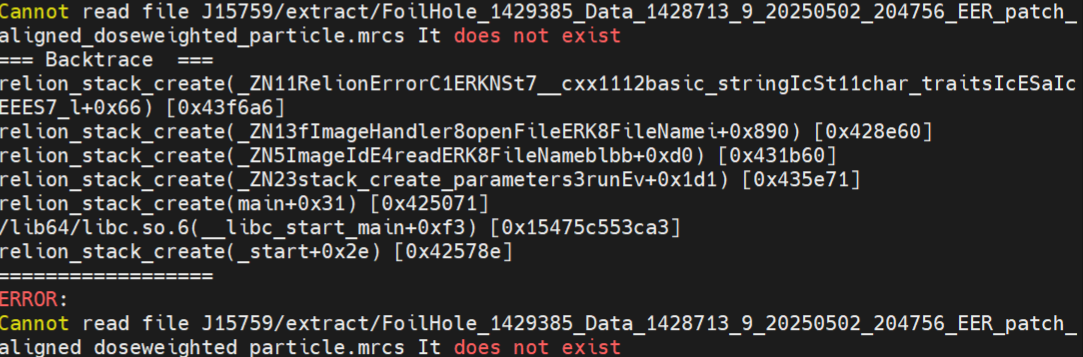
Hi @kmradford , have you resolved this issue? I also trying to use cryopros cryodrgnai or cryosieve to test my data, but I dont know how to convert my particle.cs file to an useful mrcs file. I cannot understand the answer in this floor. I use relion_stack_create,but it encountered an error.I dont know how to resolve this. could you help me if any possible?

Hi @LCG
Welcome to the community.
Install pyem and then cs2star (link in my previous post)
Follow cs2star by entering in your NU refine job directory OR from cryopros dir by
cs2star path to nu refine job/J** -p This will create particles.star as well symlink your cryosparc metadata.
Then use
relion_stack_create --i particles.star --o particles.mrcs
Make sure to work this out in ur cryopros directory giving right paths.
All the best.

Hi @LCG and @Das,

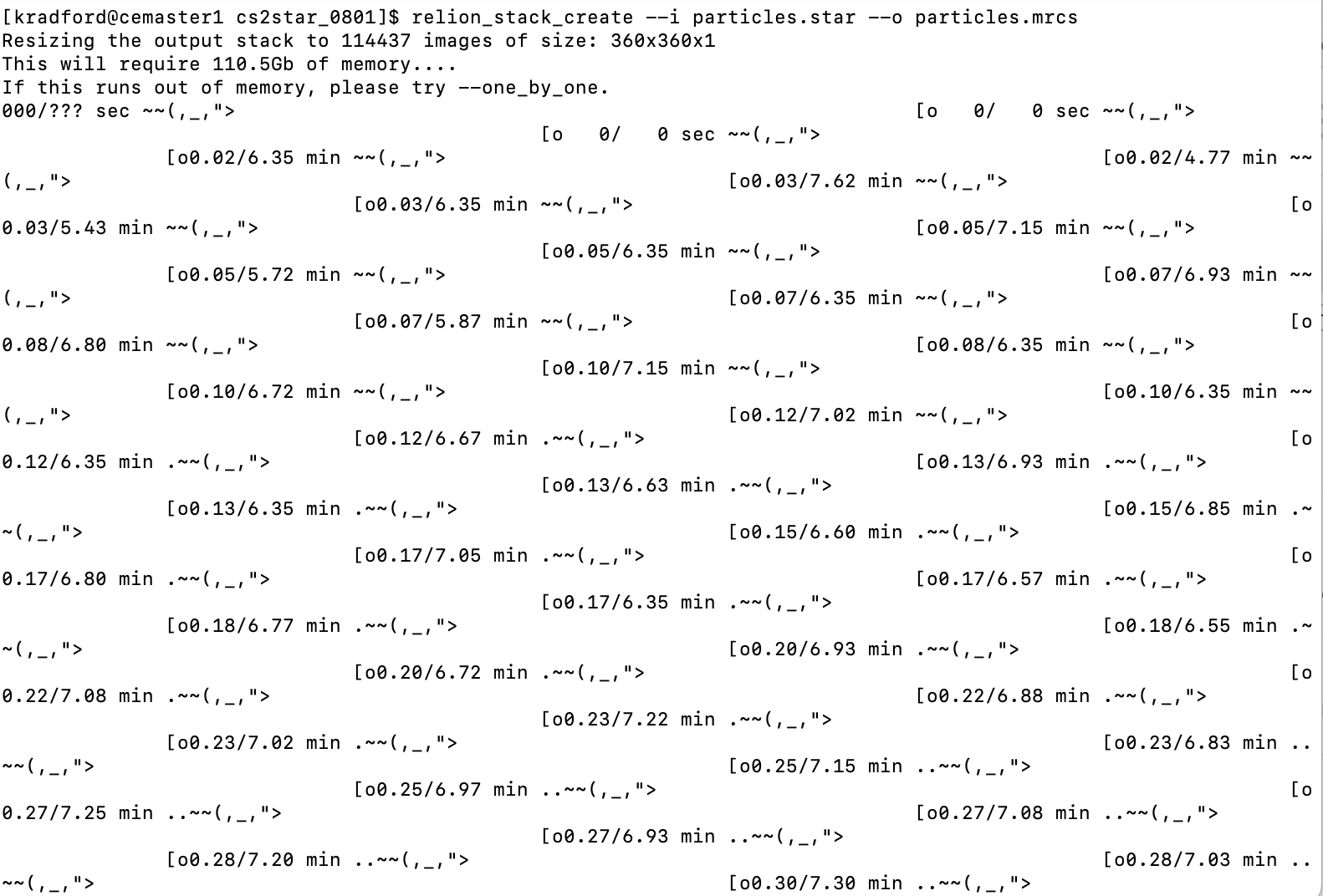
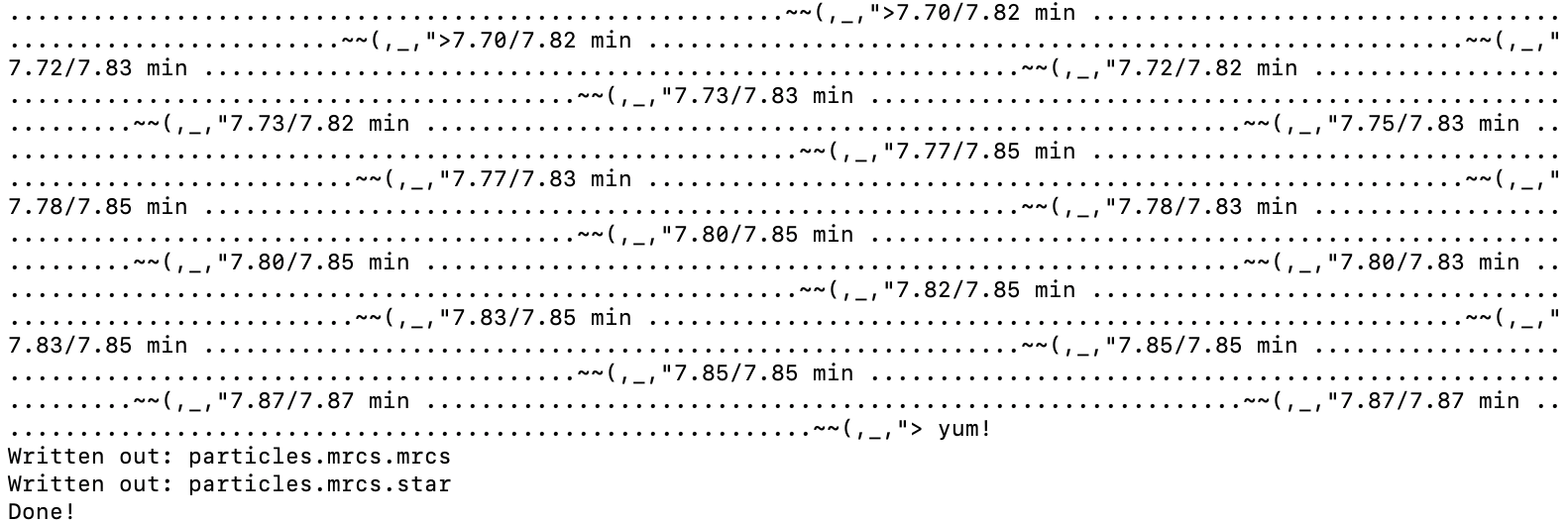
I was able to resolve this issue using the above suggestion from Das! I do have a question for those more familiar with Relion, however. When I used the relion_stack_create command initially as written, my output file was named “particles.mrcs.mrcs”. I tried again without the output extension (relion_stack_create --i particles.star --o particles), and my final output file was correctly named “particles.mrcs”. The code also ran differently - images attached. Both outputs were a stack of 114437 images of size 360x360x1, but one command ran many instances while the other ran only one. Any idea what’s going on here, and whether the output files would be materially different?

Thanks all!
Best wishes, Kate

Hi @kmradford @Das,

Thanks for both replies, I resolve my issue, firstly I have a question with you same, my output file extension also mrcs.mrcs, and I change the arguement same with u @kmradford (relion_stack_create --i particles.star --o particles). Then I use these files as input of cryodrgnai, and it runs successfully. my relion version is 4.0. And another question I want to ask the cryopros is useful for your case? I have a difficult case, I can’t fitting a good map only by cryosparc, the issues I think are from heterogeneous partially and may some from preferential orentation( the most are side view. top view only a little, and other view seems rarely). and my Ab-initio reconstruction volume can not have a full density of TM. the ECD are also flexible. I wonder if you have any recommended solutions?

Dear @LCG,
Before diving in cryopros, explore different strategies in cryosparc to address the pref orientation prob One that I tried and it worked is:

  • I assume you have a Ok’ish map, use this in heterogeneous refinement (HR) and use the particles from extract particles job. YES don’t use select 2D ones. Most of the time we are biased on our eye and hence we discard views which may be the orientations that is missing in the final map. After iterative HR you will see that at a point, where the resolution of your map does not improve, which can be the stopping point at which you have sieved the junk from good particles. Then proceed with NU refinement. See if this is addressing your pref orientation problem.
  • you can run 3D classification on symmetry expanded particles with advanced parameters to sort the classes. OR 3DVA is one that you can try. after you have clean classes then try local refine and see the ordination diagnostic plots.
  • For cryopros to work you need to have an already known PDB model, which I don’t think is the case with you. Additionally you can try 3DFLEX to refine your ECD with advanced mesh making parameters.
  • Hope all these helps, if not try collection data on gold on gold grid OR graphene oxide ones. You can also tilt at 30-40’ and collect small dataset and merge with the original.

All the best

1 Like

Hi @Das ,
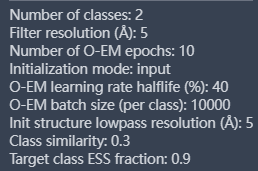
Thank you very much. I will re-test your strategy by HR, in fact, I test different strategy in my case include HR, it indeed worked,but I didn’t take notice of the resolution change(I only pay attention to the percentage of particle’s number of good volume class), I’ll test again, and for 3D Flex, I don’t test at present, because I don’t have a full initial map(lack of TM density),I dont know whether it is work. For 3D classification I test some job, and my focus mask test TM mask and ECD mask, respectively, but they don’t work(it cannot classify obviously in two different ECD conformations used focus ECD mask). this is one of parameter of 3D class job.


, and I also want to ask the pick strategy: at present, I usually use my best volume’s particle for topaz picking mostly. but I use inspect particle picks,and I found some correct particles dont be picked. and I used template, I change particle diameter to make it pick the most(dont consider the accuracy, only pick what it can picks). which stragety you think is reasonable and better? or some other strategy you can provided me? To be honest I cant use manul pick, because most of time, I dont trust my eyes in this case.

sorry I forget a question, our complex is about 300 kd. does it work if I tilt our samples? some one told me that tilt strategy only fit for some big complex which bigger than 1M. and our grid use Au.

@LCG
For 3d classification you may try force hard classification option ON.
You can also try sorting at Ab-initio level giving resolution cut off between 8-12 A. Use the junk decoys of abinitio to sort in HR steps.
When you do NU refine there is a option “final pass after gfsc reached” make it 10-15. It may run longer. This can show up your tmd.
For picking Topaz is very good with denoising. You need to pick using topaz model and then train best particles. But again topaz won’t give you what you haven’t trained it like, if it misses views in initial picks. You may want to try Cryolo. It gave me best results so far for my abc transporter. This can be done externally and then importing to cryosparc OR by Scipion interface; the latter relives you from cross platform file conversion. You can use mix and match algorithms under Scipion.
For 300 kd you can also use continuous Carbon on quantifoil grids. Make sure to glow discharge them gently say 5 mAmp 15-20 sec. I presume GO grids should be best in your case. Tilt should work but you may have thick ice and bad ctf arising from this.
I would suggest first workout at software level, if it fails go with GO grids.

hi dear @Das, I have one basic issue about Ab-initio reconstruction. Do u know what does parameters” Number of initial iteration” and “Number of final iterations” mean? I canot find some information in log about these two parameters.I don’t know how to change these parameters. For example, I set Number of initial iterations to 200, but I cannot find any change after interation 201.etc

Hi @LCG

This link describes the answer to your question. The initial iterations usually find hyper-parameters for the intermediate steps and, final iterations refines your structure. So in principle you’nt see differences b/w 200 and 201 iterations.

Let me know if you still have doubts.

Best.

Hi @Das ,

Thank you for your reply, I got it,you’re so warmhearted.

In my understanding, firstly, Ab-initio start its reconstruction use initial parameter for many iterations by we set(eg. 200 iterations), in this processing, it find hyper-parameter for this data. In 201 iterations, it start “anneal” from initial parameter to “hyper-parameters” established by itself. then in final iterations(parameter:Number of final iterations). it use hyper-parameter to refine the reconstruction. this is the whole process right? the “Number of final iterations” starts after “annealing(also could be seen as medium process)”.

And next I want to ask about 2 things: 1: Does the number of initial iterations impact the result of classify. In other words, I want to confirm whether the parameter: “class simularity anneal start iter” and “class simularity anneal end iter” need to be set following the parameter” Number of initial iterations” and “Number of final iterations”. In my tests, class simularity anneal start iter set 300(default), class simularity anneal end iter set 350(default). Number of initial iterations set 400. In log, I found class simularity starts anneal at 300 iteration, and end at 350 iteration, however according to the principle, at the same time, the ab-initio still find its hyper-parameter, so the classify was completed by initial parameter,right? is it a good thing for classify?. logically, I think it is best for classify to make class simularity anneal in hyper-parameter(in medium process or final refine process)

Another thing is that I set initial resolution 35 A( default ), and I found the resolution increased with the iterations, For my case, I want to classify different classes in high resolution level (purpose: to find potential more solid conformation, because I still cannot reconstuct useful volume in any way by cryosparc or relion or cryodrgnai, so I want to return cs’s Ab-initio), so I set class simularity high: 0.9. and it running, running, running, I found the resolution also be higher and higher in log, and when it comes to 7A or 8A(it is optionally, and consider my case, I think it is high enough), I make it started to anneal class simularity. so in level of 7A or 8A. the class simularity start anneal from 0.9 to 0( in other words, in level of 7 or 8A, I make it start find difference in 2 different classes). and let class simularity be 0 before Ab-initio complete(I dont know when the “Number of final iterations” start, and I dont know whether I should let class simularity be 0 before final iteration start, what I can do is make class simularity be 0 before Ab job end to comfirm classifying completed). Do you think what I do is right and logically? or wheter any bug in my understanding?

best
1 Like

Hi @LCG

Yes, Your understanding of the ab-initio refinement process is mostly correct, It begins with initial iterations using fixed hyperparameters to build coarse models. Then enters an annealing phase, gradually adjusting hyperparameters. Finally, refines using the learned hyperparameters in the last iterations.

Your first query is whether there is relation between initial iterations and class-similarity anneal?Yes, they interact. class similarity anneal start/end iter are absolute iteration numbers, not tied automatically to “initial” or “final” iterations. If annealing starts during the initial stage, classification happens before hyperparameters are optimized, fine for large structural differences, but not ideal for subtle conformations.

Rule of thumb is that, set class similarity anneal start after your Number of initial iterations.For instance: if initial_iters = 400, try anneal start = 450, end = 500.That ensures classification occurs once the algorithm has found good hyperparameters.

next on your resolution-based strategy: Your approach to keep class similarity high (0.9) until the map reaches ~7–8 Å, then let it anneal to 0 is logically sound. Just remember that annealing is iteration-based, not resolution-based.
Use the log to find when the job reaches ~7–8 Å, then set your anneal start a bit after that iteration in a future run.

I would suggest, initial resolution = 35 Å, Number of initial iterations = 400–800, class similarity anneal start = initial_iters + 20–50, class similarity anneal end = start + 100. Afterwards, use Heterogeneous Refinement on each ab-initio class for stable high-resolution separation.

so to sum up, delay class-similarity annealing until after the model stabilizes and gains resolution; align iteration numbers accordingly. Your reasoning is fine, its just that you’re mixing resolution logic with iteration-based parameters.

Hope this helps.

best