Hi @zorg,
Apologies for the very delayed reply. Once you have dragged the map_half_A group (from the first volume) into the volume slot, you have to drag the map_half_B low-level result (from the second volume) into its result slot. When you click and drag the map_half_B result into its slot in the volume input, you should see both slots turn green. You can then drop it on one of the slots, and it will override the duplicated map_half_A result. For example, see the screenshot below of what it should look like.
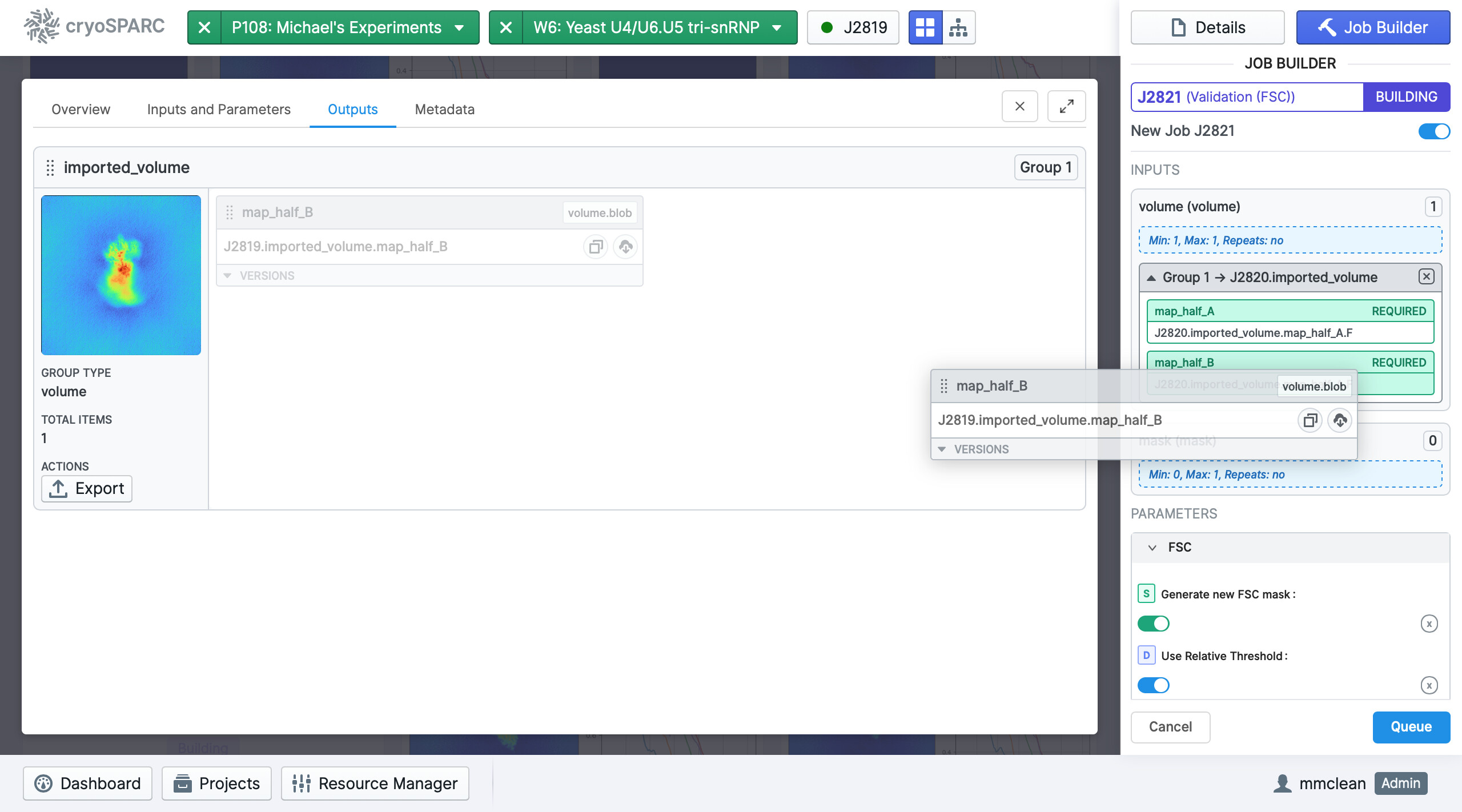
A very similar use case is described in our guide page on the job builder, which shows the necessary steps to directly input the half-maps for a local resolution estimation job. The validation job works in the same way, in that it takes in only half-maps.
Note that if you don’t have a mask input, you will have to activate the “Generate new FSC mask” parameter, in order for the job to run. Please let me know if you encounter any more difficulties!
Best,
Michael