'allow variable dose' not working in CS Live 5.1.2

I’m processing a dataset that shows significant misalignment in the last few frames of many of the movies (appears as dark edges along two sides of the processed micrograph). Previously I’ve addressed this by turning on ‘allow variable dose’ in motion correction. When I try that now in v 5.1.2, it’s not effective (I get the same misalignment).

Outside of live in a regular patch motion job, it works and I can get good aligmnent from these frames.

(similarly, while testing I tried excluding the last few frames in CS Live, to no effect - they are still included in motion correction)

Thanks @kevinj for this report.
For help in troubleshooting, please can you post the outputs of these commands

project_uid="P999" # replace with actual project UID
session_uid="S99" # replace with actual session UID
cryosparcm cli "api.sessions.find_one('$project_uid', '$session_uid').model_dump(include=['params', 'parameter_version'])"
cryosparcm cli "list({e.parameter_version for e in api.exposures.find(project_uid='$project_uid', session_uid='$session_uid')})"

cli seems to be getting it:

$ cryosparcm cli “api.sessions.find_one(‘$project_uid’, ‘$session_uid’).model_dump(include=\[‘params’, ‘parameter_version’\])”
{“parameter_version”: 8, “params”: {“gainref_flip_x”: false, “gainref_flip_y”: false, “gainref_rotate_num”: 0, “psize_A”: 0.95, “accel_kv”: 200.0, “cs_mm”: 2.7, “total_dose_e_per_A2”: 50.0, “phase_plate”: false, “neg_stain”: false, “eer_upsampfactor”: 2, “eer_numfractions”: 40, “motion_res_max_align”: 5.0, “bfactor”: 500.0, “frame_start”: 0, “output_fcrop_factor”: 1.0, “variable_dose”: true, “smooth_lambda_cal”: 0.5, “optimize_for_gpu_memory”: false, “output_f16”: true, “amp_contrast”: 0.1, “ctf_res_min_align”: 25.0, “ctf_res_max_align”: 4.0, “df_search_min”: 1000.0, “df_search_max”: 40000.0, “do_phase_shift_search_refine”: false, “phase_shift_min”: 0.0, “phase_shift_max”: 3.141592653589793, “do_phase_shift_refine_only”: false, “classic_mode”: false, “current_picker”: “blob”, “blob_diameter_min”: 80.0, “blob_diameter_max”: 120.0, “use_circle”: true, “use_ellipse”: false, “use_ring”: false, “blob_lowpass_res_template”: 20.0, “blob_lowpass_res”: 20.0, “blob_angular_spacing_deg”: 5.0, “blob_use_ctf”: false, “blob_min_distance”: 1.0, “blob_num_plot”: 10, “blob_max_num_hits”: 4000, “template_lowpass_res_template”: 20.0, “template_lowpass_res”: 20.0, “template_angular_spacing_deg”: 5.0, “template_use_ctf”: true, “template_min_distance”: 0.5, “template_num_plot”: 10, “template_max_num_hits”: 4000, “thresh_score_min”: 0.3, “box_size_pix”: 256, “extract_f16”: true, “do_plotting”: false}}

$ cryosparcm cli “list({e.parameter_version for e in api.exposures.find(project_uid=‘$project_uid’, session_uid=‘$session_uid’)})”
[1]
After enabling the parameter, did you press the Apply to All or the Apply to Future button?

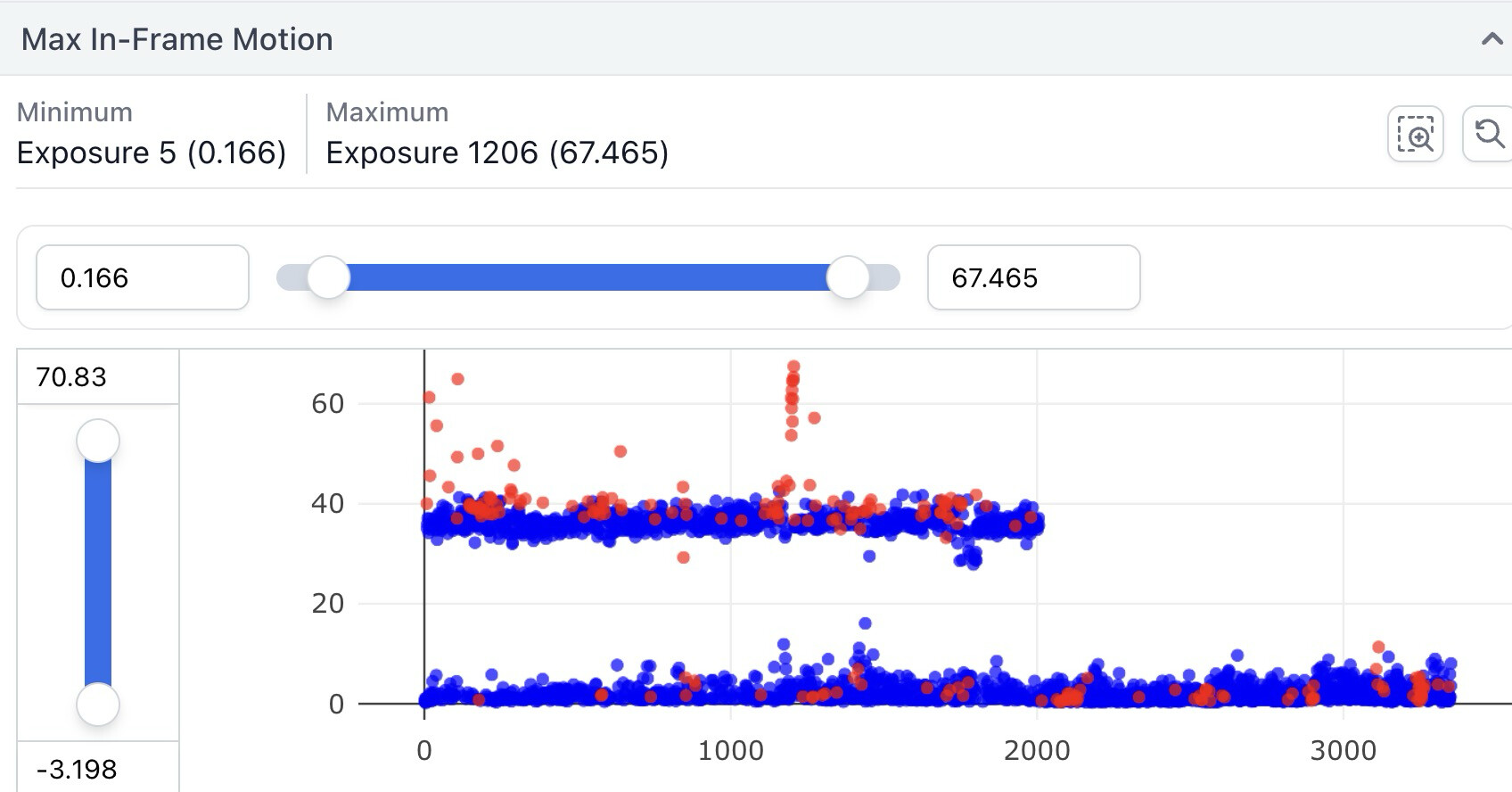
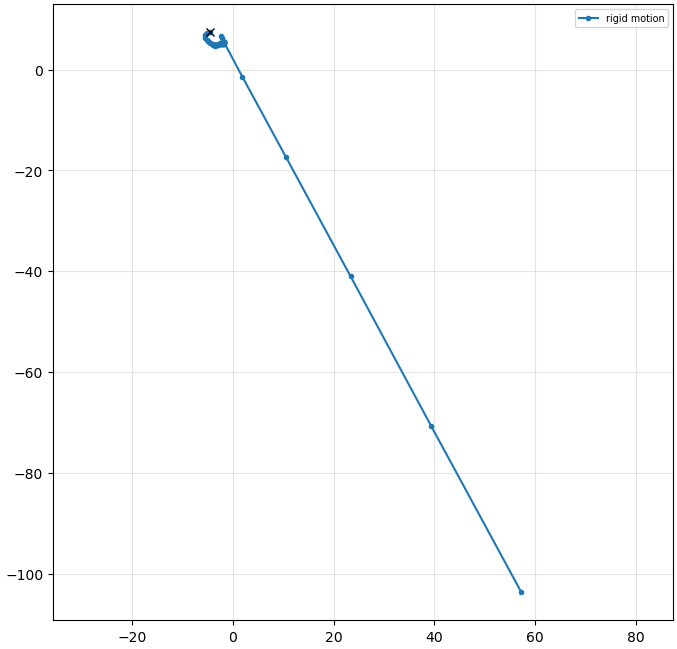
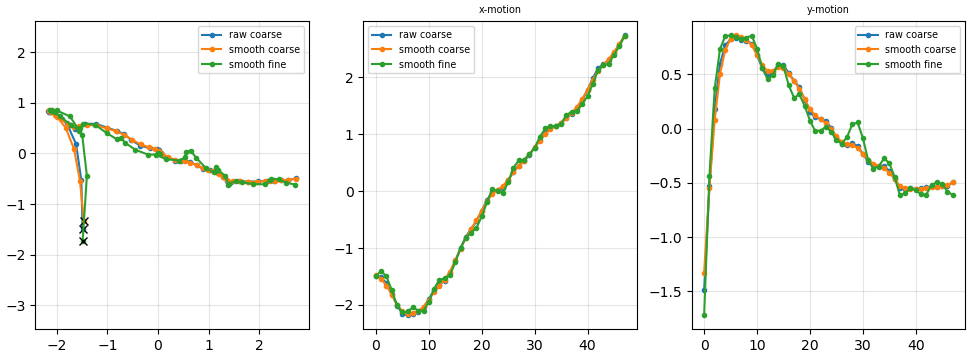
I pressed the Apply to All button. I’ve been through this a few times, though, and after the most recent time I restarted the Live session, I now see a micrograph without dark edges, but the motion plot still shows the large movements in late frames. BUT: the plot of Max In-frame motion looks like this:

for a processing run still in progress and currently working backwards from most recent images, so you can see that according to this plot the problem is actually being corrected. (I’ve been using image 3448 in my examples). So it seems that maybe the option is getting passed, but images of the micrograph and motion plots and aren’t getting updated in Live the way I would expect.