Hi @parrot, I wrote a cryosparc-tools Python script that re-imports the movies and associates them with the motion-corrected micrographs.
Overview of what it does:
- Connect to CryoSPARC
- Find the relevant project
- Find the old Import Movies job, whose data is now missing
- Build a new External Job with the old movies as input and the updated movies with the new path as output
- Load the old movies dataset input
- Update the internal dataset paths to the new location
- Save the updated movies dataset as output
The code:
from pathlib import Path
from cryosparc.tools import CryoSPARC

cs = CryoSPARC(...)  # FILL IN CREDENTIALS HERE (https://tools.cryosparc.com/intro.html#usage)

new_movies_folder = Path("/path/to/movies")  # INSERT PATH TO IMPORTS
gain_ref_path = new_movies_folder / "gain.mrc"  # INSERT GAIN REF PATH
movies_glob = "*.tif"  # INSERT FILENAME PATTERN HERE

# FILL IN PROJECT/WORKSPACE/JOB DETAILS HERE:
project_uid = "P251"
workspace_uid = "W11"
old_import_movies_job_uid = "J1"

project = cs.find_project(project_uid)
old_import_movies_job = project.find_job(old_import_movies_job_uid)

# Create a new external job
new_import_job = project.create_external_job(workspace_uid, title="Re-imported movies with new path")

# Create a "old_movies" input and connect to the originally imported movies
new_import_job.connect(
    "old_movies",
    old_import_movies_job.uid,
    "imported_movies",
    slots=["movie_blob", "gain_ref_blob"],
)
# Add an "updated_movies" output
new_import_job.add_output(
    type="exposure",
    name="updated_movies",
    slots=["movie_blob", "gain_ref_blob"],
    passthrough="old_movies",
)

with new_import_job.run():
    # Load the old input dataset
    movies_dset = new_import_job.load_input(
        "old_movies",
        slots=["movie_blob", "gain_ref_blob"],
    )
    # Create a new imports directory and symlink
    new_import_job.mkdir("imported")
    new_import_folder = Path(new_import_job.dir() / "imported")
    for i, mov in enumerate(sorted(new_movies_folder.glob(movies_glob))):
        new_imported_path = new_import_folder / mov.name
        new_imported_path.symlink_to(mov)
        movies_dset["movie_blob/path"][i] = f"{new_import_job.uid}/imported/{mov.name}"

    new_imported_gain_path = new_import_folder / gain_ref_path.name
    new_imported_gain_path.symlink_to(gain_ref_path)
    movies_dset["gain_ref_blob/path"][:] = f"{new_import_job.uid}/imported/{gain_ref_path.name}"

    new_import_job.save_output("updated_movies", movies_dset)
To run this, do the following on a machine with the new data folders available (e.g., CryoSPARC workstation or master node):
- Install cryosparc-tools as directed in the documentation
- Paste the code into a text editor and make the noted substitutions
- Save to
update_imported_movies.py - Run from the command line with
python update_imported_movies.py
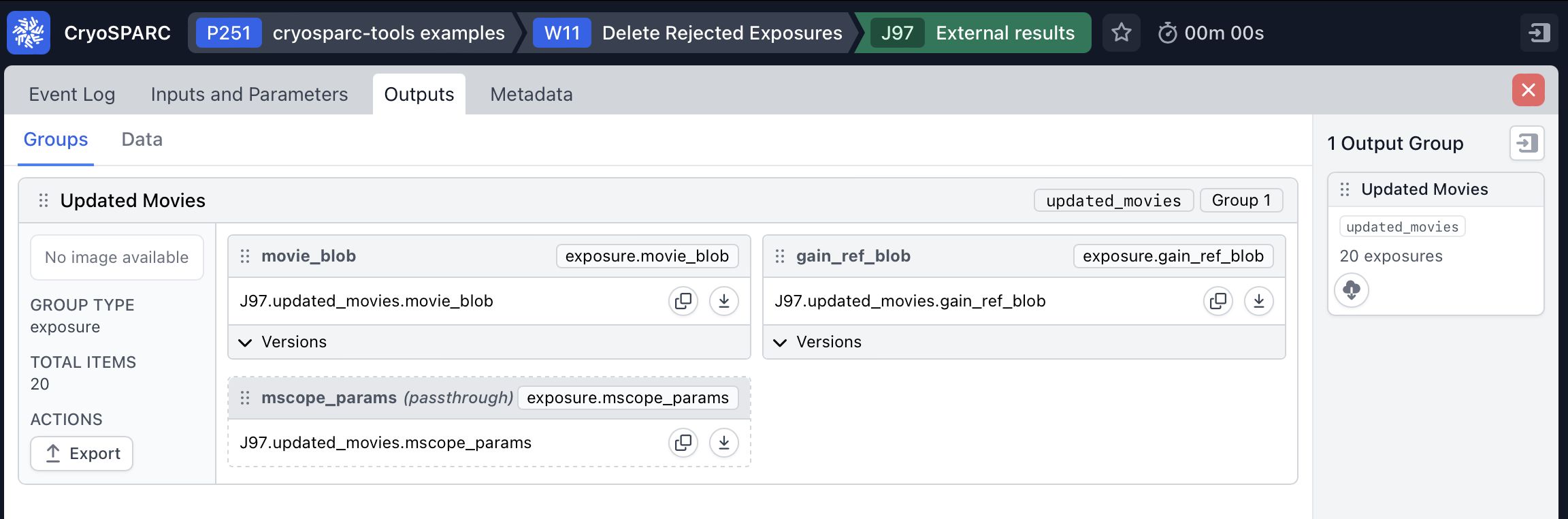
Running results in an “External” job in the relevant workspace with the movies as output:
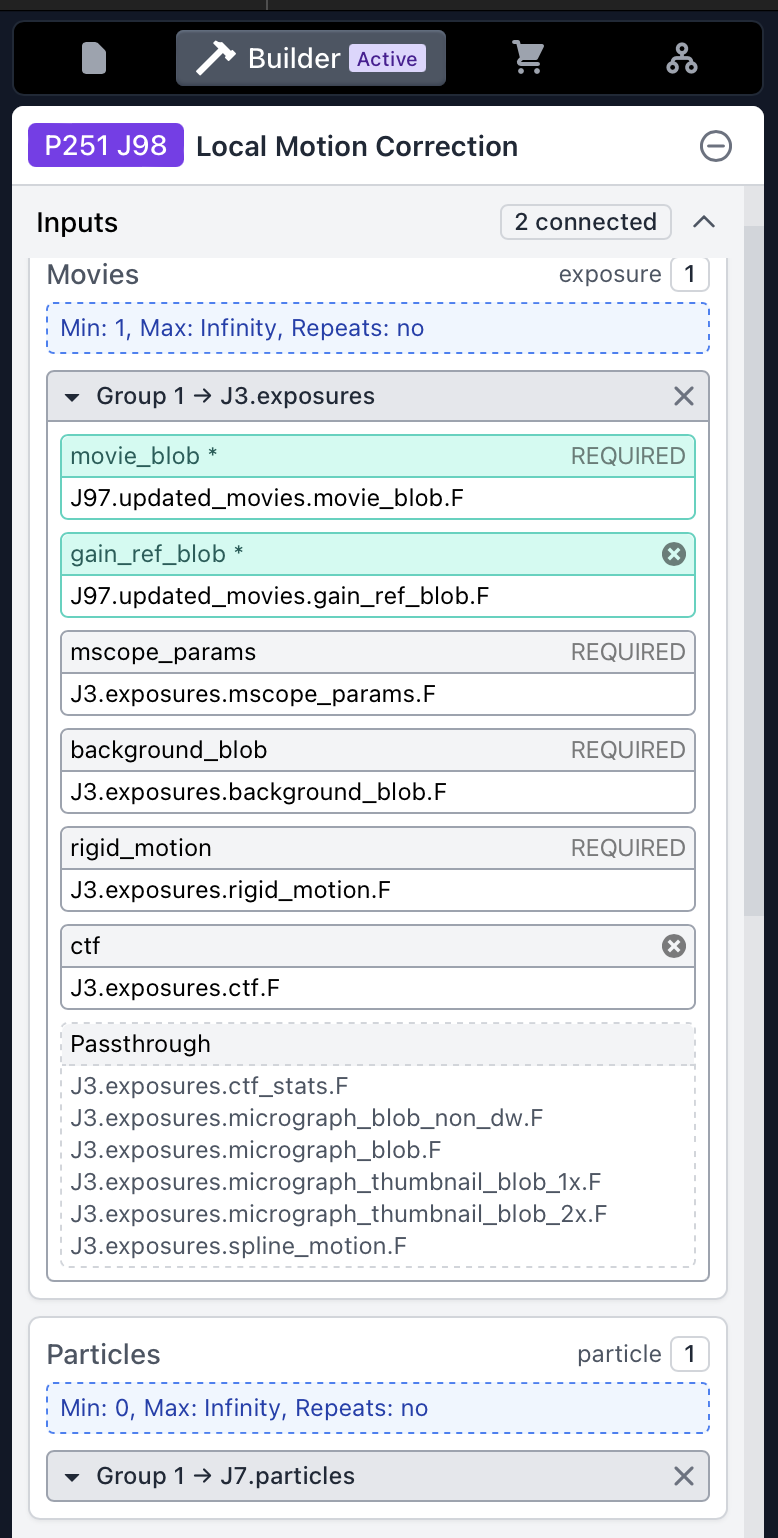
In your Local Motion Correction job, connect the motion-corrected micrographs first, then substitute the movie_blob and gain_ref_blob low-level inputs from the new external job by dragging them into the “Movies” input group:
Hope that helps! Let me know if this works for you or if you have any trouble setting it up.
Edit: bug fix