Hi @pconesa1 ,
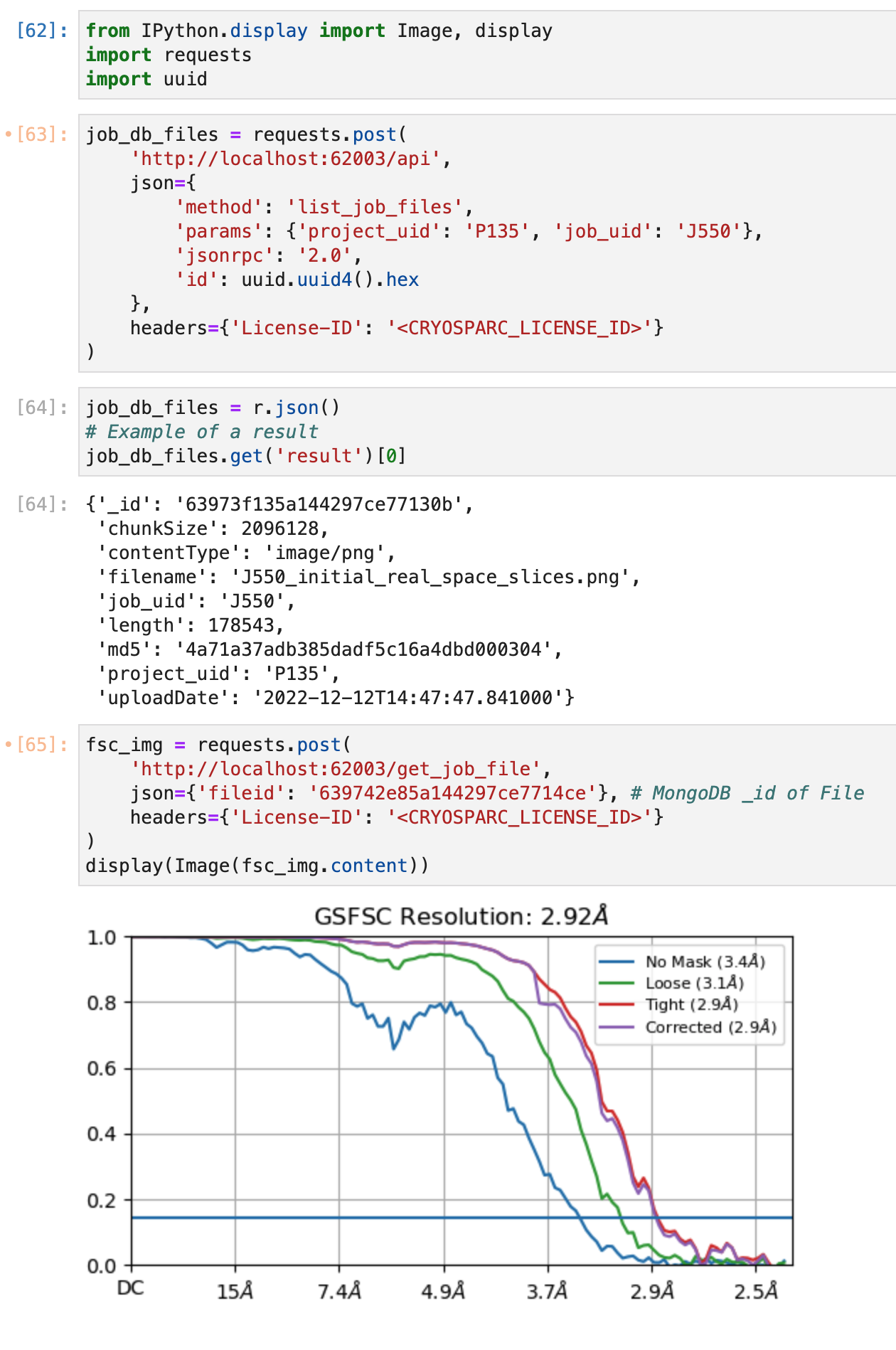
In CryoSPARC v4.1 (released December 12, 2022) we’ve added functionality to the command_vis service (CRYOSPARC_BASE_PORT +3) that allows for downloading job event log data stored in MongoDB GridFS via an HTTP call.
In Python, you’ll need the following packages imported:
import requests
import uuid
from IPython.display import Image, display # to view images in a notebook
To list all files stored by the job in GridFS, you can use the following endpoint:
job_db_files = requests.post(
    'http://localhost:62003/api',
    json={
        'method': 'list_job_files',
        'params': {'project_uid': 'P135', 'job_uid': 'J550'},
        'jsonrpc': '2.0',
        'id': uuid.uuid4().hex
    },
    headers={'License-ID': '<CRYOSPARC_LICENSE_ID>'}
)
job_db_files = r.json()
To extract the binary data from any MongoDB file _id (whether it be text or images):
fsc_img = requests.post(
    'http://localhost:62003/get_job_file',
    json={'fileid': '639742e85a144297ce7714ce'}, # MongoDB _id of File
    headers={'License-ID': '<CRYOSPARC_LICENSE_ID>'}
)
display(Image(fsc_img.content))
Here’s how it looks all together:
Hope this helps!
- Suhail